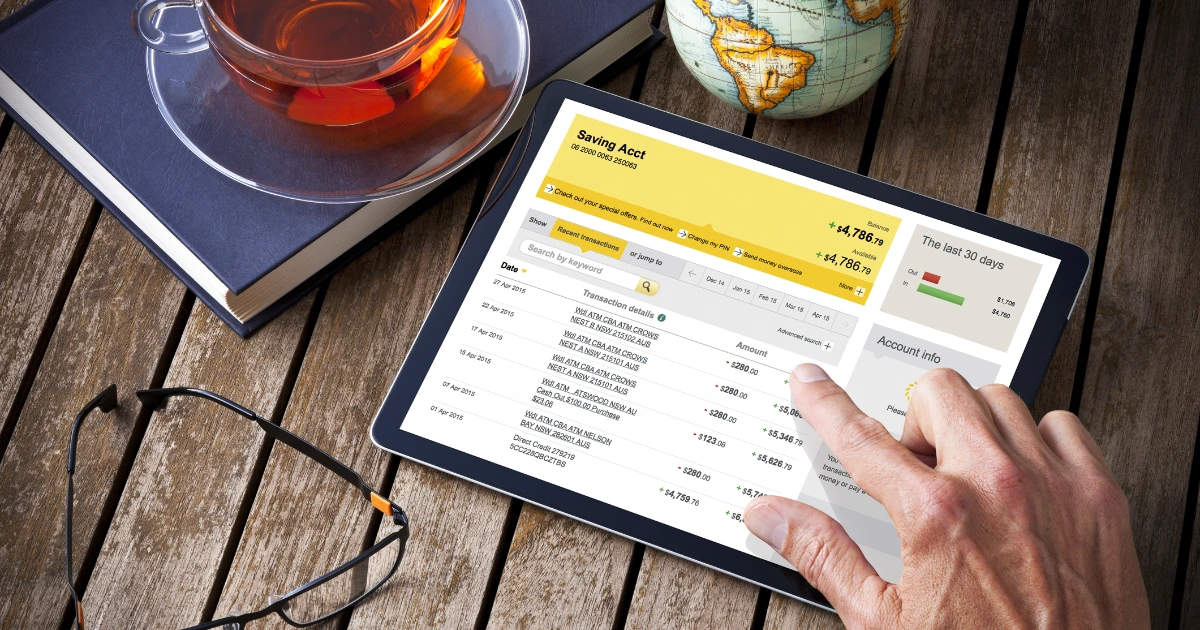
Most sole traders reach the same moment: a client payment lands in a personal account already full of rent, groceries, and a streaming subscription, and suddenly working out what is income and what is spending feels like a forensic exercise. Separating your business and personal finances is not just about being tidy - it makes your self-assessment tax return considerably less painful and gives you a much clearer picture of whether your business is actually profitable.
This guide is built specifically for UK sole traders - not a list of accounts designed for limited companies that technically accept sole traders. You will get a clear recommendation based on your situation, with honest coverage of what the free accounts actually deliver and where they fall short.
Do Sole Traders Actually Need a Business Bank Account?
The short answer is: not legally. Unlike limited companies, which must keep company finances separate from the directors' personal accounts, sole traders have no legal obligation to open a dedicated business bank account. In the eyes of HMRC, you and your business are the same legal entity, so technically your personal account can receive business income.
That said, mixing business and personal transactions in one account creates real problems in practice. At self-assessment time, you will need to separate every business transaction manually - a job that ranges from tedious to genuinely time-consuming depending on how active your business is. It also makes it harder to claim allowable expenses accurately, which means you may end up paying more tax than you need to.
The practical case for separating finances
A dedicated business account creates a clean transaction record from day one. When January self-assessment approaches, you are working from a single statement rather than unpicking months of mixed personal spending. Most accounting tools connect directly to business accounts, making the whole process significantly faster.
There is also a professional signal worth considering. When you invoice clients and they see a named business account rather than a personal one, it reinforces that you are operating as a business - not a side project. For sole traders building longer-term client relationships, that matters.
What to Look for in a Business Bank Account as a Sole Trader
The features that matter to a sole trader are different from what a limited company with a finance team needs. When you are running everything yourself, simplicity and cost matter more than corporate payment rails or multi-user access.
Monthly fee - free accounts exist and are genuinely usable at low transaction volumes. Understand what triggers upgrade costs.
Application requirements - some accounts require a Companies House number, which sole traders do not have. Check eligibility before applying.
Transaction limits - free accounts often cap the number of free transfers or payments per month. Know the limit before you hit it.
Cash deposit support - digital banks often have no branch network and charge significantly for cash deposits via Post Office or Paypoint. If you handle cash, this matters.
Accounting software integration - direct bank feed connections to Xero, FreeAgent, or QuickBooks save time every month and reduce manual data entry errors.
Customer support access - some free accounts offer only in-app chat with limited hours. If you need to speak to someone urgently, check what is available.
Overseas payments - if you invoice international clients or receive payments in foreign currencies, check fees before they erode your margins.
No single account wins on every dimension. The goal is finding the one where the trade-offs align with how your business actually operates.
The Best Free Business Bank Accounts for Sole Traders in the UK
Several digital providers have built accounts specifically for the self-employed and sole trader market. These are the accounts worth evaluating if you are starting out or keeping costs lean.
Starling Bank - Business Account
Starling's business account is one of the strongest free options in the UK market for sole traders. There is no monthly fee on the standard account, no Companies House number required for sole trader applications, and the in-app experience is clean and fast.
You get a UK sort code and account number, a Mastercard debit card, and direct integration with Xero, FreeAgent, and QuickBooks - all included at no extra charge. Note: Starling does not offer a direct Sage bank feed; if your accountant uses Sage, Tide may be the better fit.
Cash deposits are handled through Post Office branches and are subject to a fee of £3 or 0.7% of the deposit value, whichever is higher (minimum deposit £3.01). Customer support is available in-app and by phone - more accessible than most digital competitors.
Starling is also a fully authorised UK bank, meaning your deposits are protected under the Financial Services Compensation Scheme (FSCS) up to £120,000.
Monzo Business - Lite
Monzo's free Lite tier accepts sole traders without a Companies House number and offers instant payment notifications and basic spending categorisation. Accounting software integrations are available on the paid Pro plan (£9/month) only.
The free tier has limitations worth knowing: no direct accounting integrations on the free plan (those sit behind the paid Pro tier), and invoicing features are not included. For a sole trader who is comfortable managing their accounting separately, the Lite account works well. For someone who wants everything connected in one place at no cost, Starling is the stronger option.
Tide - Free Plan
Tide is built around small businesses and sole traders and applies for an account without a Companies House number. The free plan includes a business account with a UK sort code and account number, invoice creation within the app, and basic expense categorisation.
The important constraint is transaction fees - Tide charges 20p per transfer on the free plan after five free monthly transfers, which can add up if you are making multiple payments each month.If your transaction volume is low, the per-transaction cost is manageable. If you are paying multiple suppliers regularly, this changes the maths quickly.
Free does not always mean cost-free
Tide's free plan charges per transfer. Monzo Lite excludes accounting integrations. Some accounts are free in name but limited in ways that will cost you time or money as your transaction volume grows. Always check the full fee schedule before opening an account, not just the headline monthly price.
When a Paid Account Is Worth It: Transaction Volume and Feature Trade-Offs
The calculation changes once your transaction volume grows or you need features that free tiers do not include. A sole trader making a handful of payments a month and receiving a few client transfers is a different user from one running a busy freelance practice with regular outgoings, multiple client invoices, and the need for HMRC-ready accounting records.
Monzo Business Pro (£9/month) adds direct accounting integrations with Xero, FreeAgent, Sage and QuickBooks, Tax Pots to set aside a percentage of income automatically, and invoicing. For a sole trader who invoices regularly and wants their bookkeeping largely automated, the monthly fee is likely to save more in accountant time than it costs.
Tide's paid plans add free transfers and additional features including multi-user access and expense cards. The latter is less relevant for most sole traders, but if you occasionally use a contractor or need to manage separate spending pots, the paid tier becomes relevant.
When to upgrade
A paid account starts to make sense when the time you spend on manual bookkeeping, or the per-transaction fees you are paying on a free plan, exceed the monthly cost of the upgrade. Do the maths on your actual transaction volume before deciding.
Which Accounts Work Best with Accounting Software?
For a sole trader using accounting software to manage their self-assessment, a live bank feed connection is one of the most useful features available. It pulls your transactions automatically into your accounting tool, categorises them, and removes the manual import step. The quality and reliability of that feed connection varies significantly by provider.
Starling Bank - direct feed integrations with Xero, FreeAgent, and QuickBooks included on the free account. Widely regarded as one of the most reliable feed connections available.
Monzo Business Pro - accounting integrations included at the paid tier. The free Lite account does not include direct feeds.
Tide - integrates with FreeAgent, Xero, QuickBooks, Sage and other accounting tools. Note that some integrations, including FreeAgent, may require a paid plan - check Tide's current integrations page for the latest plan restrictions.
Traditional high-street banks (NatWest, Barclays, HSBC, Lloyds) - most now support Open Banking connections to major accounting platforms, though setup can be more involved and feed reliability is variable.
If accounting software integration is a priority and you want it included at no extra cost, Starling is the clear leader at the free tier. Most sole traders using FreeAgent or Xero will find the setup straightforward and the feed reliable.
Sole Trader vs Limited Company Accounts: What Is Different
This distinction matters more than it first appears, because several well-known business bank accounts are built around limited companies - and some providers use 'business account' as a blanket term for both, while the application process and account terms are actually quite different.
Limited company accounts typically require your Companies House registration number, a registered company address, and in some cases details of all directors and shareholders. Sole traders have none of these, because a sole trader business has no separate legal identity - it is simply you trading under your own name or a trading name.
When evaluating any business bank account as a sole trader, confirm explicitly that the application process does not require a Companies House number. Some providers that appear on 'best business bank account' lists are primarily structured for limited companies, and their sole trader offering may be more limited in features or require a separate application route.
Check eligibility before you apply
If a provider's application form asks for a Companies House number and offers no way to proceed without one, the account is not designed for sole traders. Do not attempt to use your UTR (Unique Taxpayer Reference) number in its place - these are different identifiers and the application will not proceed correctly.
How to Open a Business Bank Account as a Sole Trader: What You Will Need
Most digital business bank accounts for sole traders can be opened in under 10 minutes using your smartphone. The application is faster and less document-heavy than opening a traditional bank account, but you will still need to verify your identity.
Proof of identity - a valid UK passport or driving licence. Most providers use in-app photo verification.
Proof of address - a recent utility bill, bank statement, or HMRC letter. Some digital providers accept this in-app; others may request a document upload.
Your UTR (Unique Taxpayer Reference) number - you will have this if you are already registered for self-assessment with HMRC. Not all providers ask for it, but some use it to verify your self-employed status.
Your trading name - if you trade under a name other than your personal name, you will need to provide it. Some providers will display this name on your statements and card.
Basic business details - some applications ask for your primary business activity (the type of work you do) and an estimate of your expected monthly turnover.
You do not need to be registered for VAT to open a business bank account, and you do not need a formal business plan. The application is typically a straightforward identity and address verification process.
Illustrative example - based on a common UK founder scenario, not a specific documented case
A freelance graphic designer in her first year of trading had been using her personal account for all business income and expenses. At self-assessment time, she spent nearly two days separating business transactions from personal ones across 12 months of statements. The following year, she opened a Starling business account, connected it to FreeAgent, and found her bookkeeping reduced to a weekly 10-minute review of categorised transactions. The account took around 8 minutes to open on her phone using her passport for verification.
Our Verdict: The Best Business Bank Account for Your Situation
There is no single best account for every sole trader. The right choice depends on your transaction volume, whether you need accounting software integration, and whether you handle cash or international payments. Here is a direct recommendation by situation.
Best Account by Sole Trader Situation
New sole trader, low transaction volume
Starling Bank Business Account is the strongest starting point. It is free, requires no Companies House number, includes direct accounting integrations at no extra cost, and is backed by full FSCS protection. The application is fast and the in-app experience is designed for business use. Start here unless a specific need points elsewhere.
Established sole trader with higher transaction volume
Monzo Business Pro becomes worth evaluating once you are invoicing regularly and want tax pots, automated categorisation, and full accounting integration included. The monthly fee is modest and the time saved on bookkeeping typically justifies it. Starling remains competitive if you prefer to manage your accounting tool separately.
Sole trader who invoices internationally
If you regularly receive payments from overseas clients or need to pay international suppliers, consider whether a dedicated multi-currency account - such as Wise Business (which carries a one-off £50 set-up fee for full account features, with no ongoing monthly fee) - should sit alongside your primary UK business account.
Standard digital business accounts typically charge fees on foreign currency transactions that can add up quickly at volume. Wise is not a full business bank account substitute, but as a payment layer for international work it is often more cost-effective than letting your main account handle all FX.
Whichever account you choose, open it before your next invoice goes out. The time cost of separating mixed finances retrospectively is real, and every month of clean transaction records you build now is a month you do not have to reconstruct at self-assessment time. Business Growth Engine publishes practical, UK-grounded guidance like this to help you make better decisions at every stage - not just when January arrives.
A note on editorial independence
Business Growth Engine does not accept payments from banking providers in exchange for placement or favourable coverage. The recommendations in this article are based on editorial research into the UK sole trader market. Account features and fees change regularly - always verify current terms directly with the provider before opening an account.
Get Practical Guidance You Can Use This Week
Get Practical Guidance You Can Use This Week
Ready to cut through the noise? Join the BGE newsletter for practical guidance, tool recommendations, and real-world insights for UK founders and business owners - delivered weekly to your inbox. No fluff, no spam, unsubscribe any time.
BGE newsletter